
Atmosphere (Panel)#
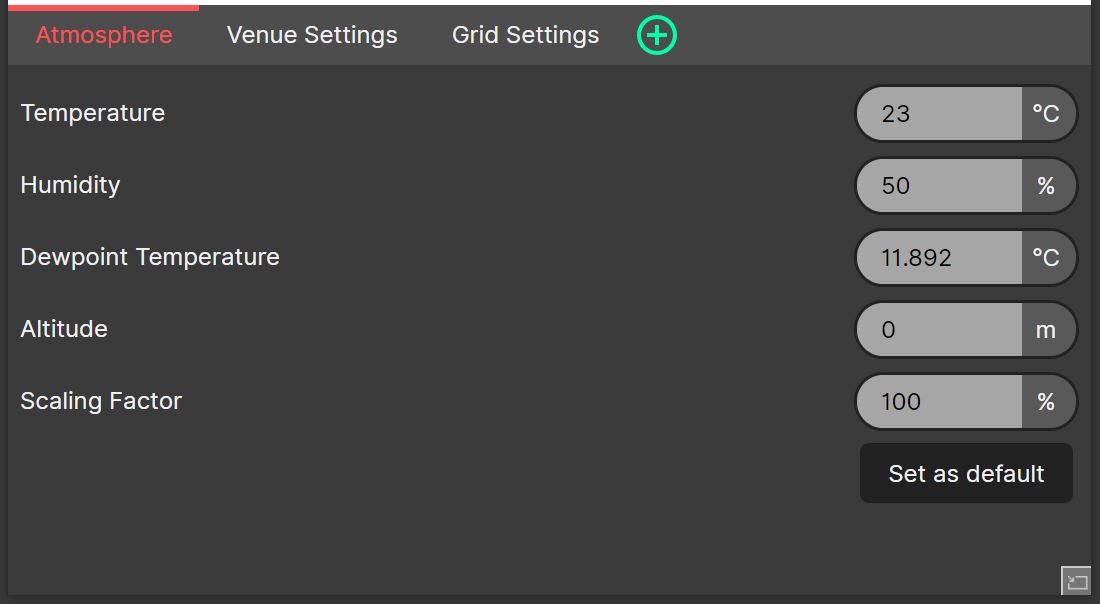
The Atmosphere Panel can be used to change settings relating to the propagation of sound. These settings are saved with each system design file.
- Adjusting the Atmospheric Conditions
The temperature (-30 to 50°), humidity (%) and dewpoint temperature inputs, together with the given altitude (0 to 3000, in your preferred length unit), adjust the atmospheric model in order to accurately simulate the propagation of sound. It should be noted that the altitude specified should be the level of the venue above mean sea level, and not the height from the ground.
- Scaling Factor
The scaling factor should be left at 100% to provide accurate real-world results. With the scaling factor set to 0%, the effects of the atmospheric calculations will not be included within the SPL or Frequency calculations. Intermediate values will allow for the effect of the atmospheric calculation to be partially applied to the SPL and Frequency calculations.
The current values can be stored as the defaults for new projects by clicking ‘Set as default’.
As with all Panels, the Atmosphere Panel can be resized and moved using Panel Drag & Drop, and ‘popped out’ into an additional System Optimiser window. The location of this Panel will be saved as part of the current tab.