
Aim Discs, Throw Lines and Lasers#
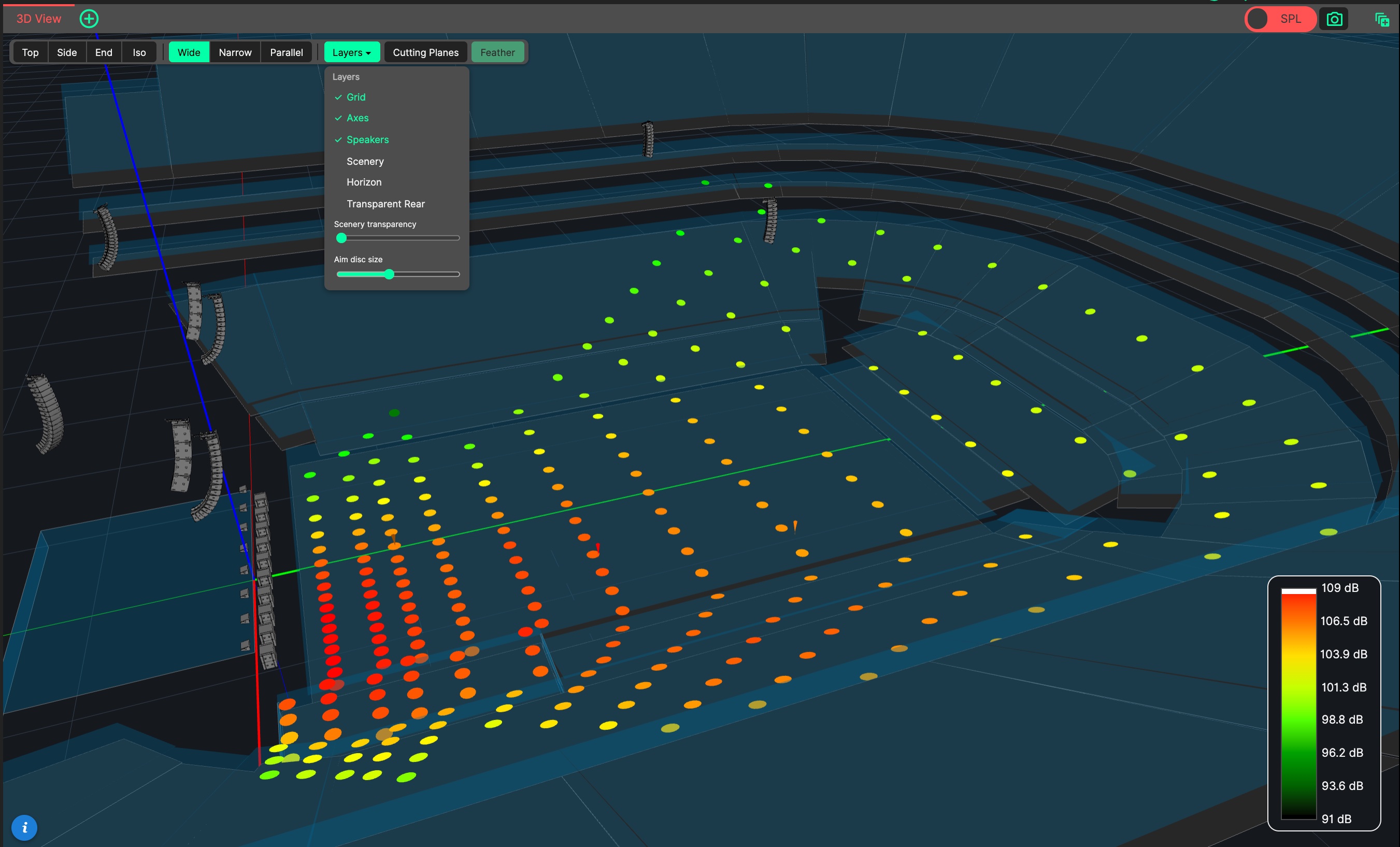
The 3D View can show where each cabinet is aimed in two ways - Aim Discs and Throw Lines. Choose which with Show Aim As in the Preferences: Aim Discs, Throw Lines or Both (the default).
Array aiming itself is performed in the Sideview, where each cabinet’s throw line can be dragged directly.
- Aim Discs
Aim Discs are per-cabinet aim points drawn on the audience. They are shown whenever the SPL heat map is off: each loudspeaker’s coverage is projected onto the audience and drawn as a disc, coloured by that box’s 1-10 kHz level on the same colour scale as the heat map. This gives an immediate visual answer to both where each cabinet is aimed and how loud it arrives there.
The disc size can be adjusted from the 3D view toolbar, under Layers → Aim disc size. Aim Discs respect the Cutting Planes.
The Inspect tool can be used to click a disc and read its level.
- Throw Lines
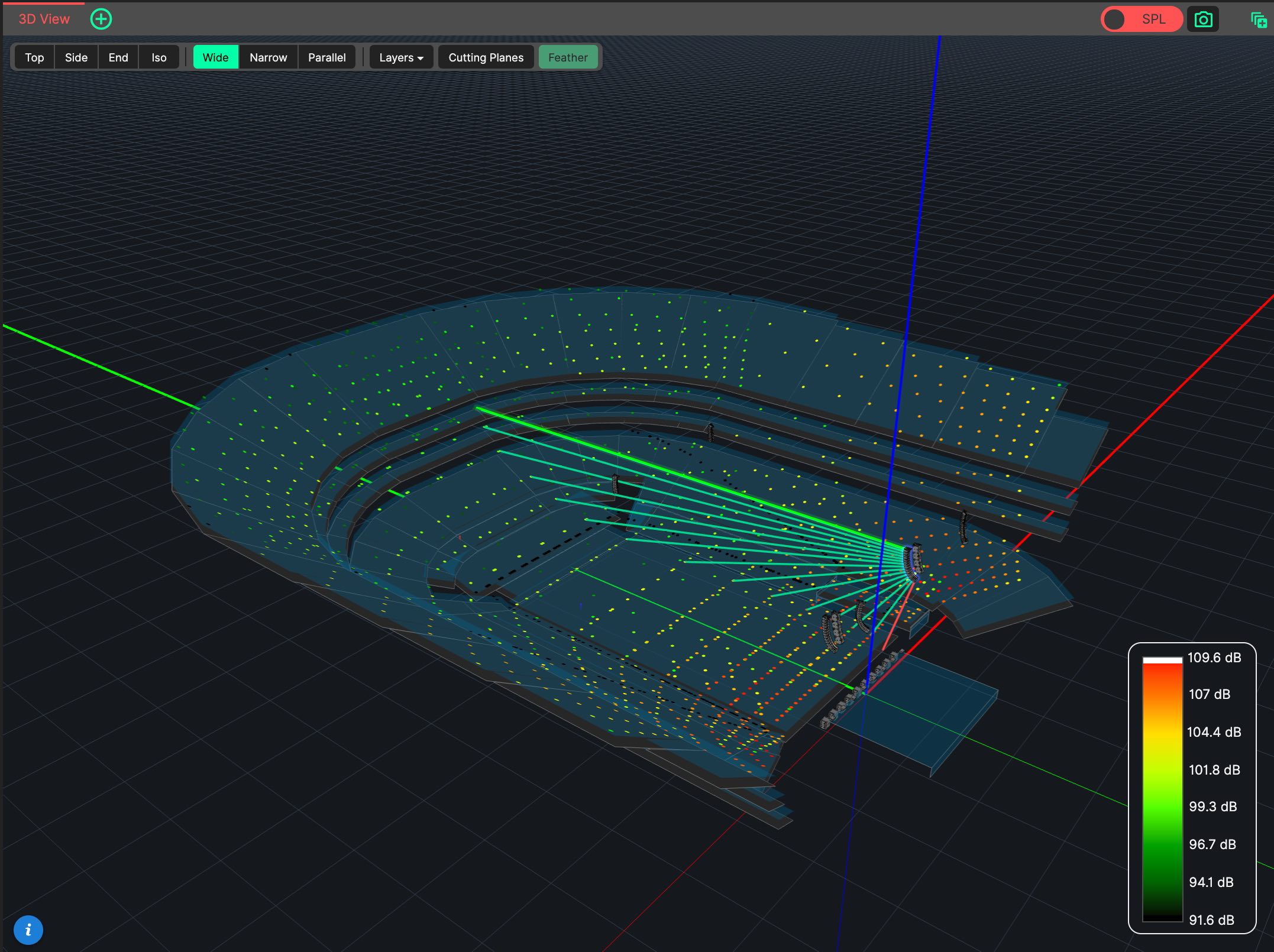
Throw Lines are drawn from each cabinet along its aiming axis. A line is green where it lands on the audience, and red where it misses. Unlike Aim Discs, Throw Lines are also shown while the SPL heat map is on.
Show Throw Lines in the Preferences chooses whether Throw Lines are drawn for the Selected Source only (the default) or Always, for every visible source. With Selected Source, nothing is drawn while no source is selected.
- Lasers
For Standard Vertical Arrays whose frame supports a laser, the Laser option in the template draws a bright green beam from the frame, showing where the laser mounted on the frame will point in the venue. Lasers are drawn whatever Show Aim As and Show Throw Lines are set to.