
3D SOURCES (Tab)#
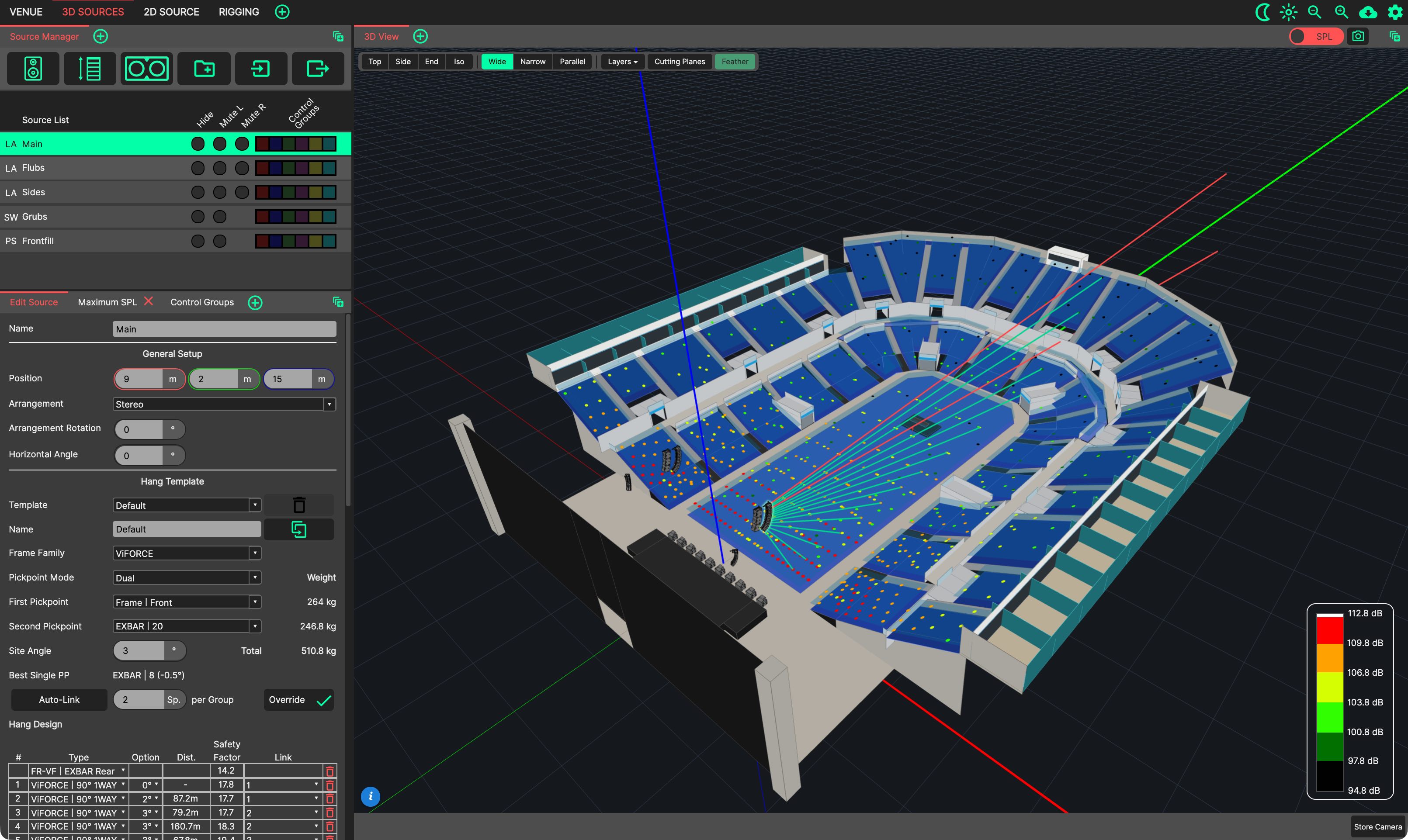
The 3D SOURCES tab provides an intuitive layout for designing and evaluating loudspeaker sources within a design, centred on the 3D View. It can be reached directly with Ctrl/Cmd+2.
- This tab contains the following Panels in its default layout:
3D View: Used for evaluating the system within the venue, including SPL mapping and Aim Discs.
Source Manager: Sources are created, manipulated and removed from this list.
Edit Source: Shows the parameters of the source selected in the Source Manager. The first tab of the lower-left panel stack.
Maximum SPL: Shows the RMS and peak headroom of the system for the selected stimulus and level.
Control Groups: Sources assigned to Control Groups can have processing applied.
Changes made to this tab will be restored next time it is selected, including the position of Panels, and those that have been ‘popped out’ into additional windows.