
Frequency Response (Panel)#
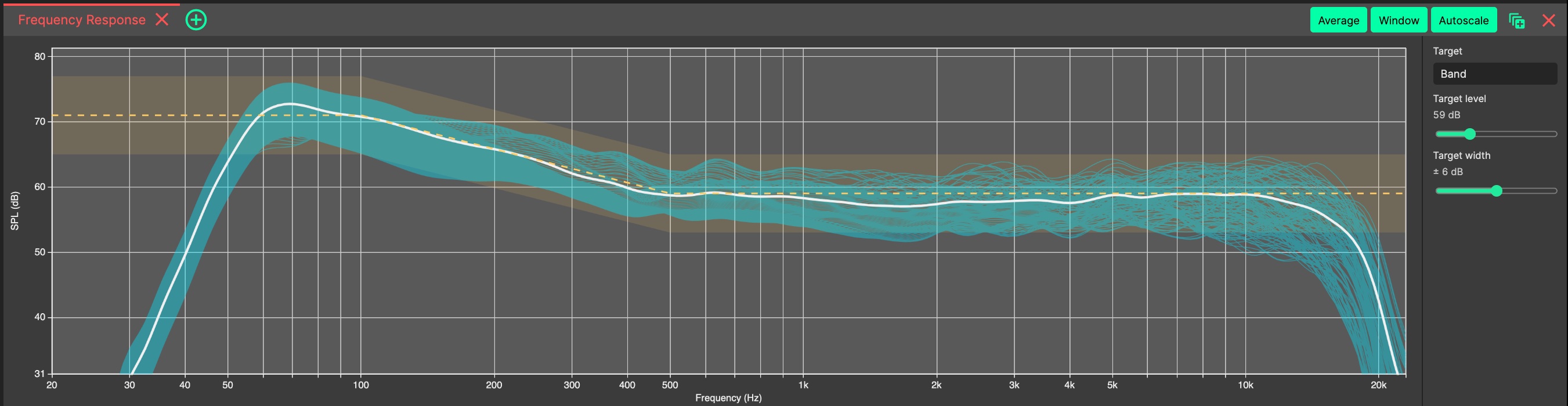
The Frequency Response Panel is part of the default 2D SOURCE layout, and can be opened from the panel add menu in the 3D SOURCES, 2D SOURCE or custom tabs.
In the header menu, the following options are available:
- Average
Shows or hides the energy-averaged mean curve, plotted thick to make it stand out.
- Window / Whole cut
Toggles between sampling only within the start/end coverage window set in the Sideview, and sampling the whole audience cut. The button’s label reflects the current state.
- Autoscale
Re-fits the dB axis to the displayed traces.
- Target Curve
In the controls strip beside the graph, a target curve can be selected and overlaid, with adjustable level and tolerance width. Choosing the Custom target opens an inline editor for your own target points, to describe the response you are aiming for.
Scroll to zoom the dB axis, drag to pan, and double-click to reset the view and re-fit the target level.
As with all Panels, the Frequency Response Panel can be resized and moved using Panel Drag & Drop, and ‘popped out’ into an additional System Optimiser window. The location of this Panel will be saved as part of the current tab.