
2D SOURCE (Tab)#
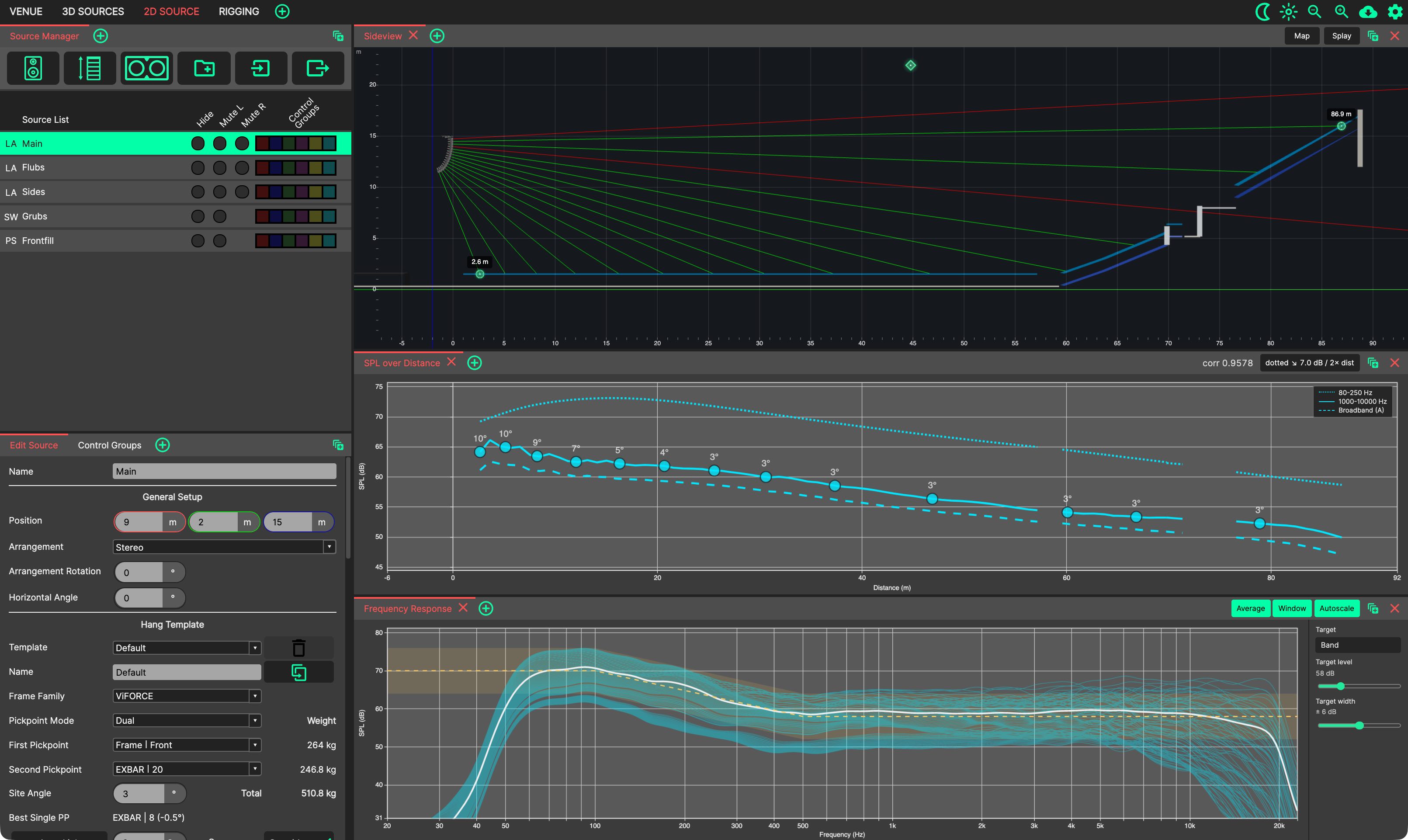
The 2D SOURCE tab is where a single array is aimed and optimised. It is centred on the Sideview and its two companion chart panels, which all follow the array selected in the Source Manager. It can be reached directly with Ctrl/Cmd+3.
- This tab contains the following Panels in its default layout:
Source Manager: Select the array to work on by clicking its row; click the same row again to cycle through its sub-sources.
Edit Source: Shows the parameters of the selected array. The first tab of the lower-left panel stack.
Control Groups: Sources assigned to Control Groups can have processing applied.
Sideview: Aim the array by dragging its throw lines, lock angles for Auto-Splay, set the coverage window and map its vertical SPL coverage.
SPL over Distance: Plots SPL against distance along the audience for the selected array.
Frequency Response: Plots the frequency response at points sampled along the audience for the selected array.
Changes made to this tab will be restored next time it is selected, including the position of Panels, and those that have been ‘popped out’ into additional windows.